

Book in seconds.
The businesses you go to, all in one place, with the free times right there.
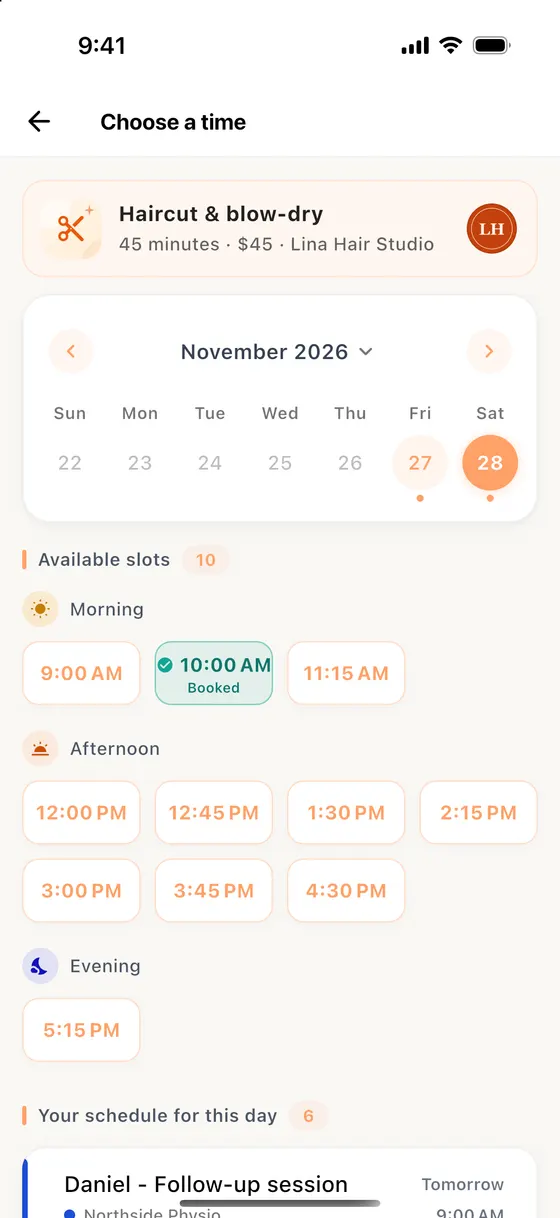

Book a time in seconds
Pick a service, see the free times, and book. From the app or from the business's link.
Your businesses in one place
Every business you've joined, with your upcoming appointments there.
Reminders and changes
A reminder before each appointment, and room to change it within the business's rules.
Waiting list
No free time on the day you want? Ask to be told about new openings.
Businesses near you
See businesses on Todaili around you and ask to join.
How it works
Open the link
Your business sends you its Todaili link.
Join
Ask to join. Some businesses approve you first.
Book
Pick a service and a time. That's it.
Questions
How do I book with a business?
Open the business's Todaili link or find it near you, and ask to join. Once you're in, it's in your Book tab.
Can I cancel or move an appointment?
Yes, from the appointment itself, within the business's rules. Some businesses need a few hours' notice.
What if there are no free times?
Join the waiting list for that day and service, and Todaili tells you when a time opens.
Do I need the app to book?
You can book from the business's link in your browser, too. The app adds reminders and everything in one place.
More of Todaili
Get Todaili
Free to download for iPhone and Android.
