
Todaili Support
Talk to us
A real person reads every message. WhatsApp is the fastest way to reach us — usually the same day.
Telling us your phone number (the one you signed in with) and what you were doing when something went wrong gets your problem solved much faster.
How Todaili works
Four tabs. Each one does a different job.
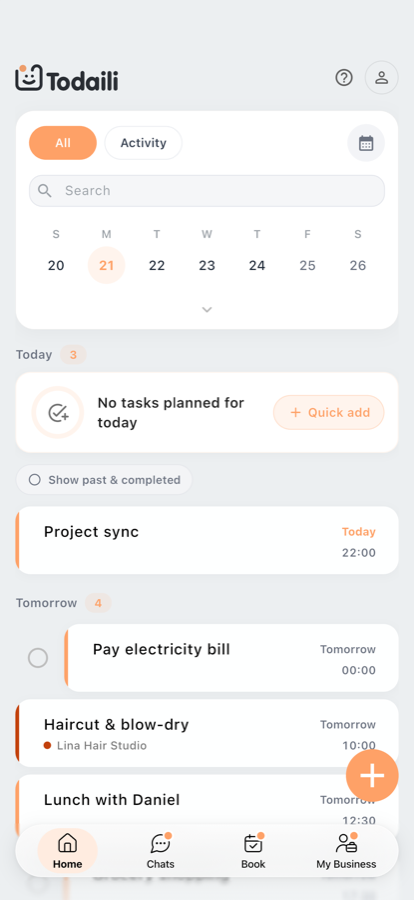
Home
Your personal space for everything you're planning.
- Create your own events and tasks.
- Get reminders so nothing slips through.
- See what's coming up — today, tomorrow, and beyond.
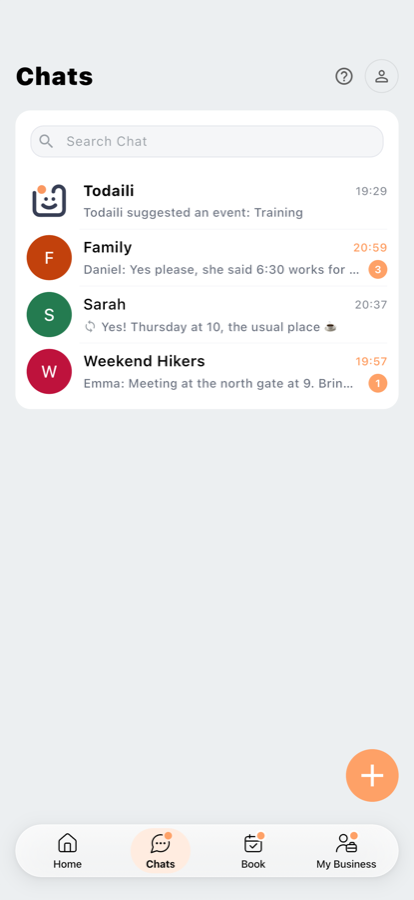
Chats
Talk and share — all in one place.
- Message people 1-on-1 or in groups, and share your events.
- Send photos, videos and voice notes, and react to messages.
- Start a group for the people you plan with.
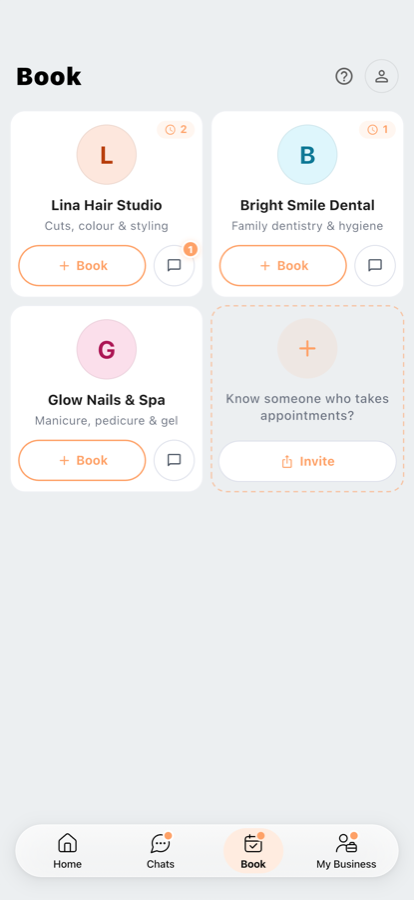
Book
Everyone you book with, in one place.
- See your upcoming appointments at a glance.
- Book a new time, or message them directly.
- Don't see someone here? Ask them to send you an invite link.
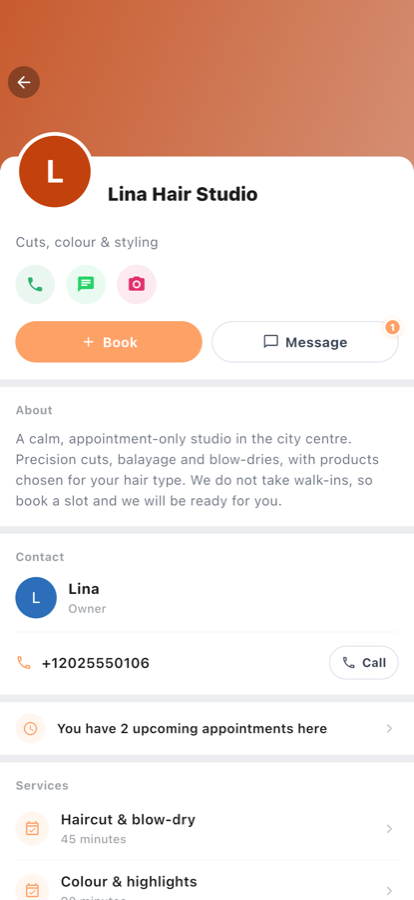
My Business
For anyone who takes bookings.
- Set up your services and availability.
- Let members book you, and handle their requests.
- Chat directly with your members.
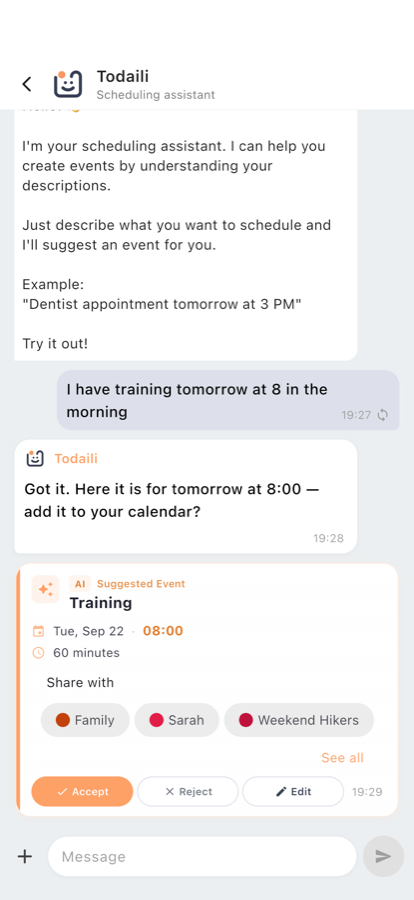
The Todaili assistant
Write it the way you'd say it.
- Type something like “dentist next Tuesday at four” and the assistant turns it into an event you can accept or discard.
- Nothing is added to your calendar until you accept it — always check the date and time first.
- It only reads what you write to it. Your other chats are never sent to it.
Settings for business owners
The options on each service, and what they actually control. All of them are also explained inside the app — tap the ? next to a setting.
Max participants per slot
Sets how many people can book the same time slot. Keep it at 1 for one-on-one appointments. Increase it for group sessions, classes, or events where several members share one slot — the slot stays open until it reaches this many bookings.
How far ahead members can book
Controls how far ahead members can book. For example, 60 means members can only choose dates within the next 60 days. Use it to keep your calendar from filling up too far into the future.
Minimum booking notice
The minimum lead time before an appointment starts. For example, 2 means members must book at least 2 hours ahead, so any slot starting sooner than that is hidden. Use it to avoid last-minute bookings.
Both limits apply to your members only. As the owner you're not restricted by them — you can book members at any time, including outside the window.
Remind members
The reminder your members get before an appointment for this service. Off means each member's own reminder setting applies. A member can always change the reminder on their own appointment.
Remind me
Your own reminder before an appointment for this service. Separate from your members' — you may want more or less notice than they do.
Ask to confirm
How long before an appointment members are asked to confirm they're coming. Off means no one is asked. Confirming is never required — an appointment is never cancelled for going unanswered.
Common questions
My older chat messages have disappeared
That's by design. Messages and their attachments are automatically and permanently deleted 30 days after they're sent. It can't be switched off, and deleted messages can't be recovered — by you or by us. Save anything you need to keep.
I'm not getting notifications
Check three things, in this order: notifications are allowed for Todaili in your phone's settings; the app isn't being restricted by a battery saver (common on Xiaomi, Huawei, Samsung and OPPO); and you're on the latest version from the store.
Reminders are a convenience, not a guarantee — delivery depends on your device and network, so don't rely on one alone for something critical.
How do I book with a business?
Businesses are invite-only. Ask them for their booking link, open it, and request to join — the owner approves you, and then they appear in your Book tab. If someone isn't there, you haven't joined them yet.
What happens to my contacts?
If you allow access, a name and one phone number per contact are uploaded to our servers so we can show you who already uses Todaili. We never message your contacts and never share your address book. The permission is optional — decline it and you simply type numbers instead. Full detail is in the Privacy Policy.
How do I change the app's language?
Settings → Language. Todaili is available in English, Hebrew and Arabic, and right-to-left layouts are fully supported.
How do I delete my account?
Settings → Delete Account. It's permanent: your profile, events, tasks, uploaded contacts and any businesses you own are deleted within 30 days, and it can't be undone. Messages you already sent to a shared chat may stay visible to the other people in it until the 30-day deletion removes them. See section 14 of the Privacy Policy.
Is Todaili free?
Yes. If paid plans are introduced, what they include and what they cost will be shown in the app before you're ever charged.
Something looks wrong, or I've found a bug
Message us on WhatsApp with your phone number, what you were doing, and a screenshot if you have one. That's usually enough for us to reproduce it the same day.
Todaili is not an emergency service
Never rely on Todaili to reach anyone in an emergency. Call your local emergency number.